Testing
Creating Tests
Create new test model in
test\testcases. The model follows the same format as any other ZEN-garden model and can be anything.Check the test model for correctness and ensure that it has a unique solution.
Add variables on which to test to the file
test\testcases\test_variables.json.Add test case function to
test\testcases\runtest.py.Add the test-case description to
tests\testcases\docu_test_cases.md.
Running tests
After implementing a new feature or fixing a bug, it is important to run the
tests to ensure that the changes do not break the existing code. The tests are located in the tests folder and are written using the pytest framework. If you add new functionalities,
make sure to add a new test that covers the new code.
You can execute the tests by running:
pytest --cov="zen_garden" -n auto tests/ -v
Pycharm configuration
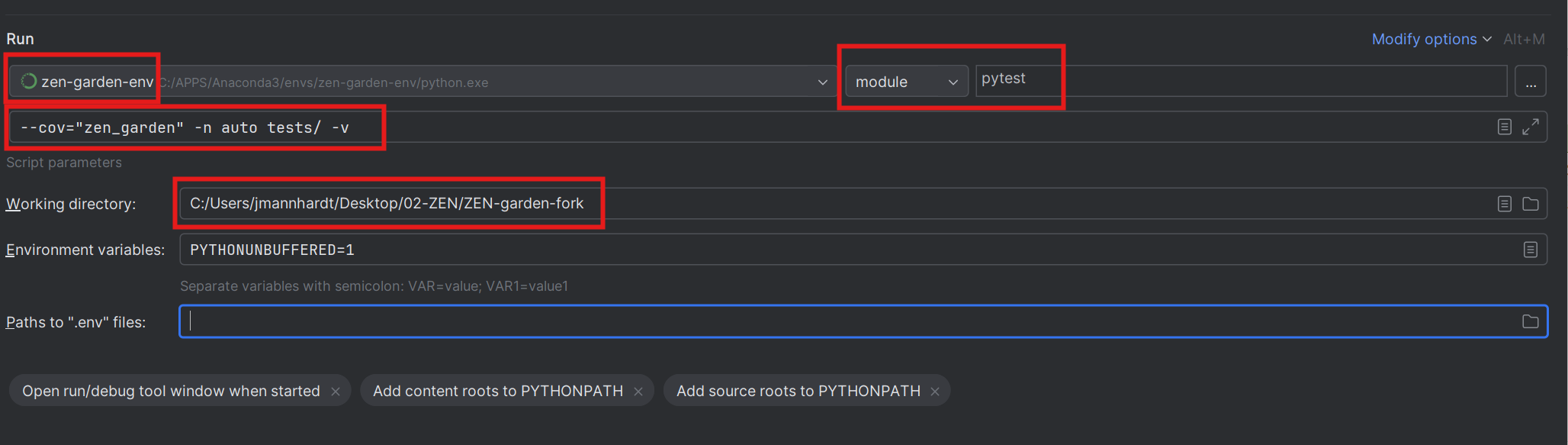
To run the tests, add another Python configuration. The important settings are:
Change “script” to “module” and set it to “pytest”
Set the “Parameters” to:
--cov="zen_garden" -n auto tests/ -vSet the python interpreter to the Conda environment that was used to install the requirements and also has the package installed. Important: This setup will only work for Conda environments that were also declared as such in PyCharm; if you set the path to the Python executable yourself, you should create a new proper PyCharm interpreter.
Set the “Working directory” to the root directory of the repo.
In the end, your configuration to run the tests should look similar to this:
To run the test and also get the coverage report, we use the pipeline settings of the configuration. Add another Python configuration and use the following settings:
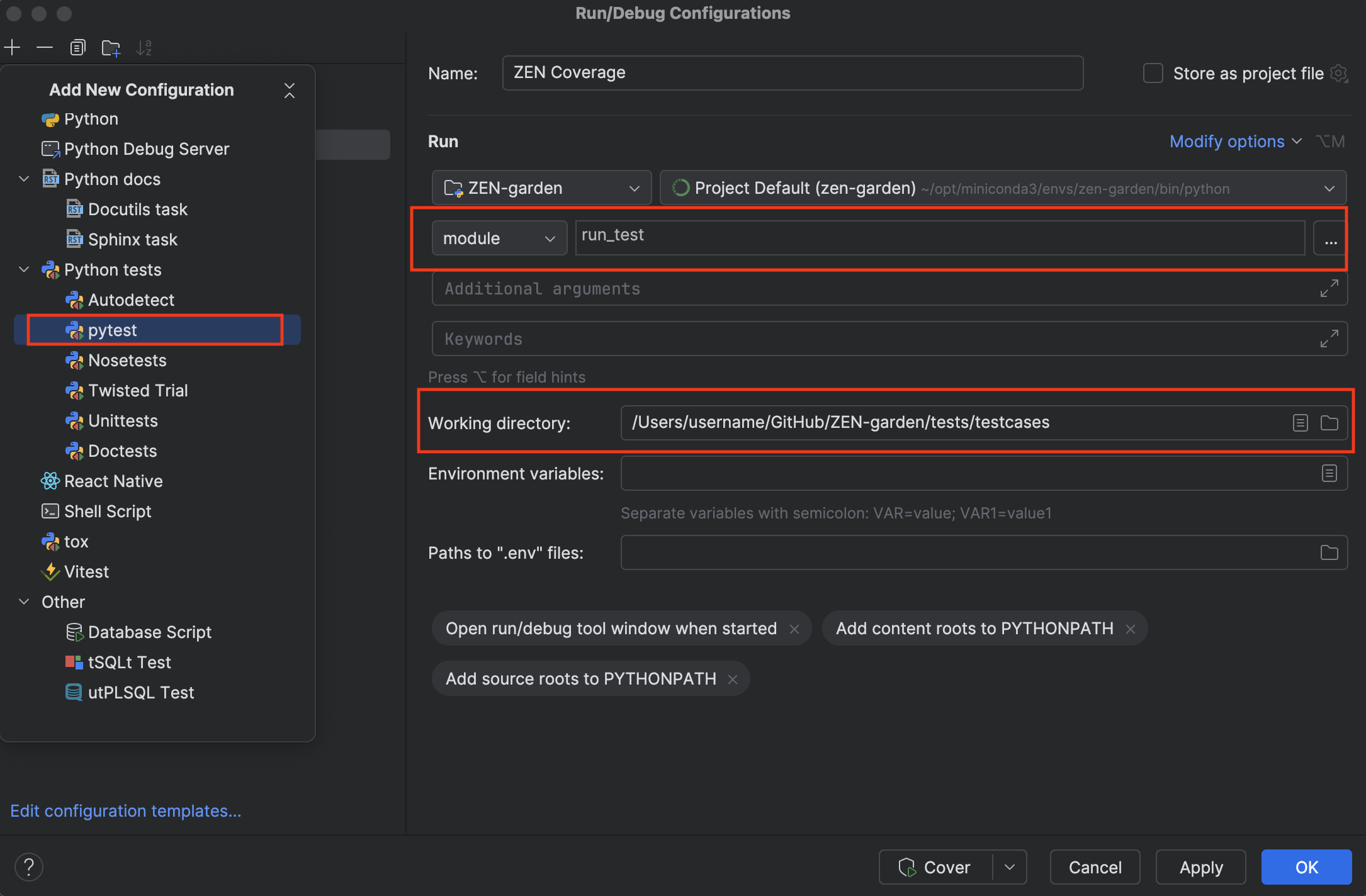
Add a new configuration “Python tests/pytest”
Change “script” to “module” and set it to “run_test”
Set the python interpreter to the Conda environment that was used to install the requirements and also has the package installed. Important: This setup will only work for Conda environments that were also declared as such in PyCharm; if you set the path to the Python executable yourself, you should create a new proper PyCharm interpreter.
Set the “Working directory” to the directory
tests/testcasesof the repo.
In the end, your configuration to run the coverage should look similar to this: